Connect the glasses
Pair the PEJE M02S with the phone and open Live Preview For PEJE Glasses.
CUSTOM APP / PEJE M02S GLASS
A focused Android app from AI Glass Apps, built around two practical PEJE M02S upgrades: a clean full-screen live preview and streamlined photo and video import.
FEATURE 01 / LIVE PREVIEW
See the PEJE M02S camera feed across your phone screen. The app is designed to keep the view clear and practical whether you hold the phone vertically or rotate it for a wider view.
FEATURE 02 / MEDIA IMPORT
Browse photos and videos stored on the glasses, then import them to your phone. Two transfers can run concurrently instead of every item waiting in a single-file queue.
SOCIAL LIVE-STREAMING WORKFLOW
The AI Glass Apps product supplies the camera view. A compatible third-party broadcasting app supplies screen sharing and the connection to a supported social platform.
Pair the PEJE M02S with the phone and open Live Preview For PEJE Glasses.
Open a compatible broadcasting app and choose screen share as the source.
Select the supported social destination in that app and begin broadcasting.
COMPATIBILITY
Pair the glasses through your phone’s normal Bluetooth settings before opening the app.
AI Glass Apps is independent of PEJE. This product is not developed, published, endorsed or supported by PEJE or its associated companies. “PEJE” and “M02S” are used only to identify compatible hardware. All trademarks belong to their respective owners.
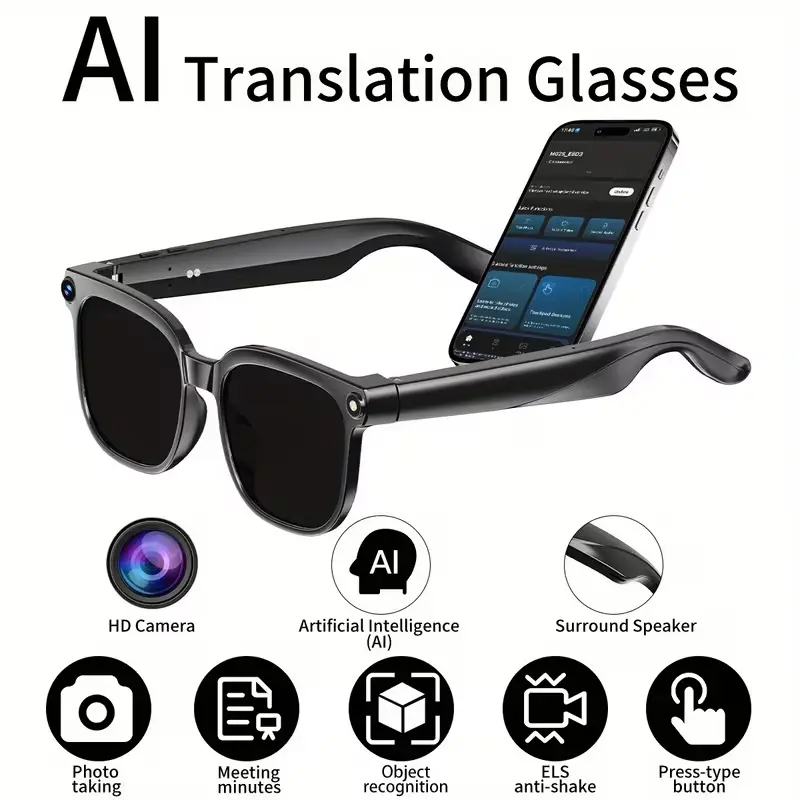 TECH SHOP / EXTERNAL RETAILER
FEATURED IN THE TECH SHOP
Review the camera, 1080p recording, audio, translation and connectivity features of the compatible smart glasses, then check the current product listing on Temu.
SECURE ONE-TIME PURCHASE
Pay securely through Stripe. No AI Glass Apps account is required. After confirmed payment, the private download link is emailed automatically.
No. AI Glass Apps is independent of PEJE. The product is a third-party app designed for compatible PEJE M02S smart glasses.
No. It supplies the full-screen live preview. You use screen sharing in a compatible third-party broadcasting app to connect the preview to a supported social platform.
After Stripe confirms payment, we automatically email the address entered at Checkout with a private download link.
It protects the paid Android app from public sharing. Opening the email link shows a confirmation page; the token expires only when you press the final download button and the file begins downloading.
Email info@aiglassapps.com with the email address used for payment. Do not purchase the product again before contacting support.